Embrace Metrics API
Embrace Metrics API
The Embrace Metrics API allows you to query your metrics from Embrace using PromQL. The queryable information includes any standard metrics as well as any Custom Metrics you have created.
Embrace redefined what a session is. These metric names predate that change and are kept as-is for historical continuity: where a metric says session, it means what is now a session part. sessions_total and sessions_duration_total count session parts, exactly as they always have.
Get Started
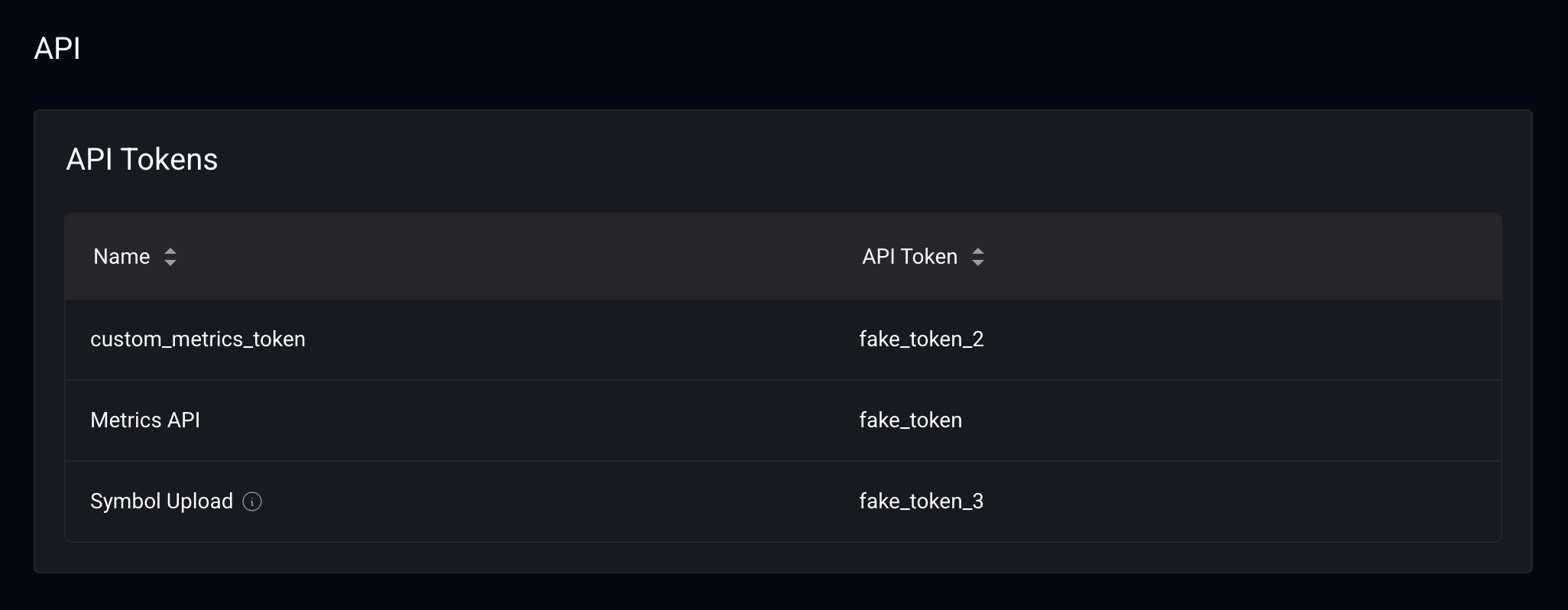
- Navigate to Settings -> Organization -> API in the Embrace dashboard.
- Get the "Metrics API" token.
How to Consume Metrics?
You can consume metrics from the Embrace Metrics API in two ways:
- From Grafana: Visualize metrics in custom dashboards. See the Grafana Integration guide.
- Programmatically via code: Query metrics directly using the API. Check out the code samples.
All metrics are queried using PromQL (Prometheus Query Language). See some examples here.
- Session parts grouped by session property city and state for a given app version.
sum(daily_sessions_total{app_id="<app ID>", app_version="1.2.3"}) by (city, state)
- Percentage of crash free session parts by devices.
1 - sum(hourly_crashes_total{app_id="$app_id"}) by (device_model) / sum(hourly_sessions_total{app_id="$app_id"}) by (device_model) * 100
- Percentage of crash session parts by devices.
sum(hourly_crashes_total{app_id="$app_id"}) by (device_model) / sum(hourly_sessions_total{app_id="$app_id"}) by (device_model) * 100
Also, you can pull data for one, multiple, or all of your organization's apps in a single query.
- To pull for a single app, include the
app_idin the PromQL filter,
sum(hourly_custom_metric_sessions_total{app_id="a1b2C3"})
- To pull for multiple apps, include a pipe-delimited array in the filter,
sum(hourly_custom_metric_sessions_total{app_id=~"a1b2C3|Z9Y8x7"})
- To pull for all apps, do not include any app ID in the filter,
sum(hourly_custom_metric_sessions_total{})
Supported Metrics
View all the metrics supported in the Metrics Forwarding page.
Metrics Availability
This is the time when the metrics will be available to consume in the Embrace Metrics API.
- Five minute metrics will be available to consume in about 4 minutes. Data point calculated at
2024-11-25 00:05:00will be available to consume after2024-11-25 00:10:00. - Hourly metrics will be available to consume in about 15 minutes. Data point calculated at
2024-11-25 01:00:00will be available to consume after2024-11-25 01:14:00. - Daily metrics will be available to consume in about 14 hours. Data point calculated at
2024-11-25 00:00:00will be available to consume after2024-11-25 14:00:00.