Elastic Integration
Elastic Integration
Prerequisites
- Have an active Elastic account with hosted OTLP ingest available (serverless projects, or hosted cloud on AWS 9.2.x+). The integration uses Elastic's OTLP collector setup; the APM server setup is not supported.
Configuration
Pulling your Elastic API Key (Elastic documentation)
- Log into your Elastic account.
- Create an API key with permission to ingest OTel data into your deployment.
- Elastic provides the API key in base64 encoded form. Copy this encoded value to use it on the Embrace dashboard.
Pulling your Elastic Server URL
- In Elastic, onboard OTel app data for your deployment. Elastic surfaces the hostname of the hosted OTLP ingest endpoint alongside the API key.
- The hostname follows the pattern
https://<deployment_id>.ingest.<region>.<cloud>.elastic.cloud:443. Use this value (including the:443port) as the Server URL on the Embrace dashboard.
Querying your data
Metrics
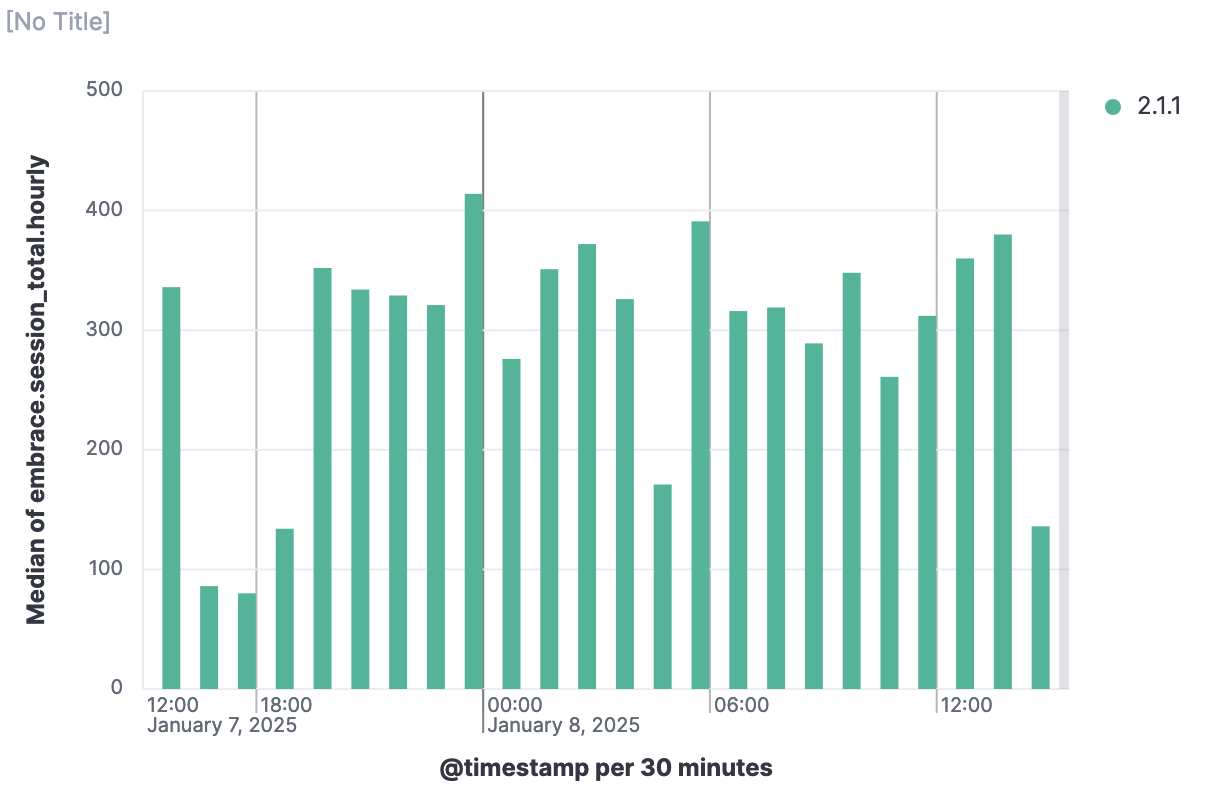
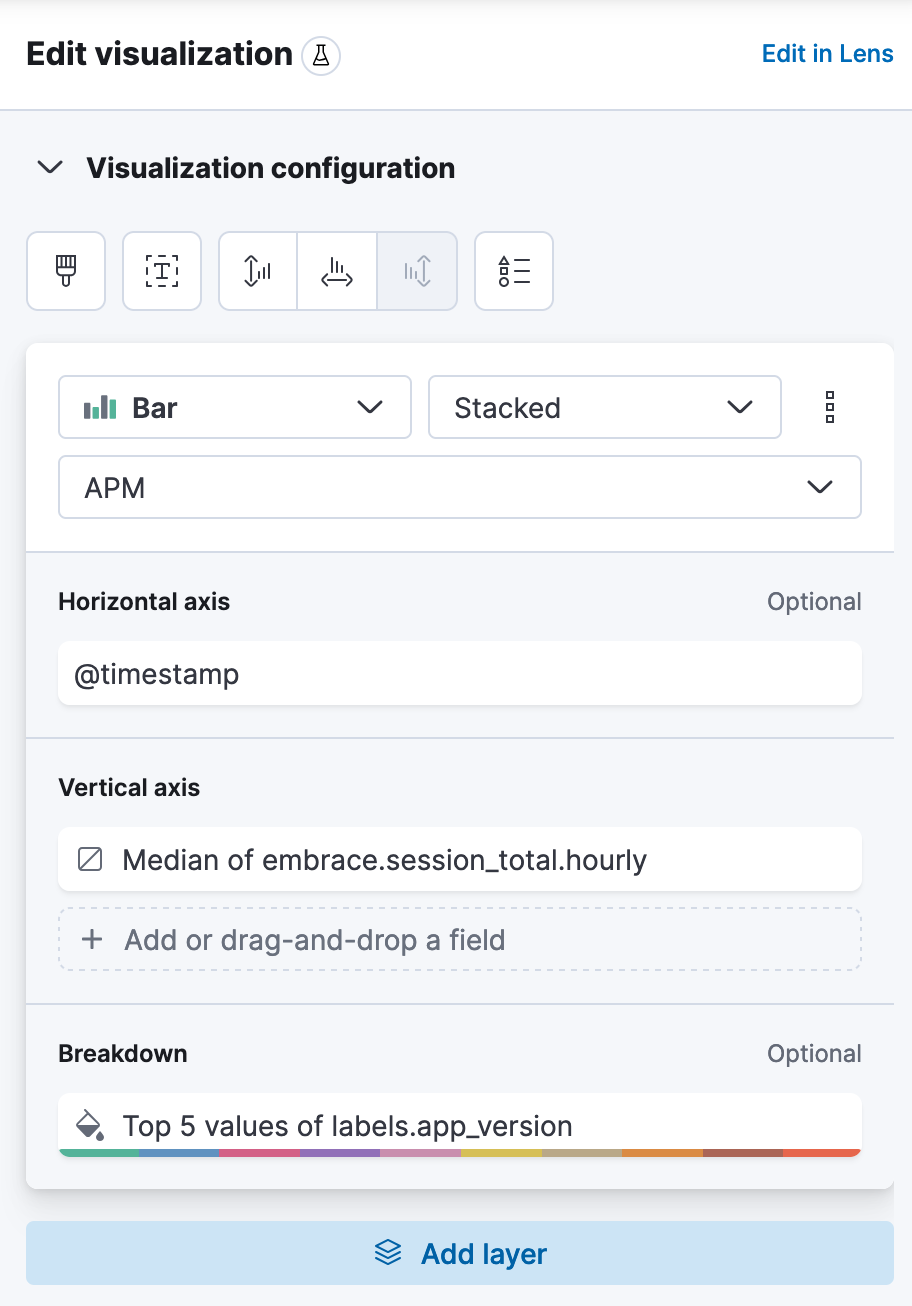
Your metrics will be prefixed with embrace.. You can visualize your data using the "Dashboards" view under the "Analytics" section of the hamburger menu. Below is a sample dashboard panel and the configuration for it.
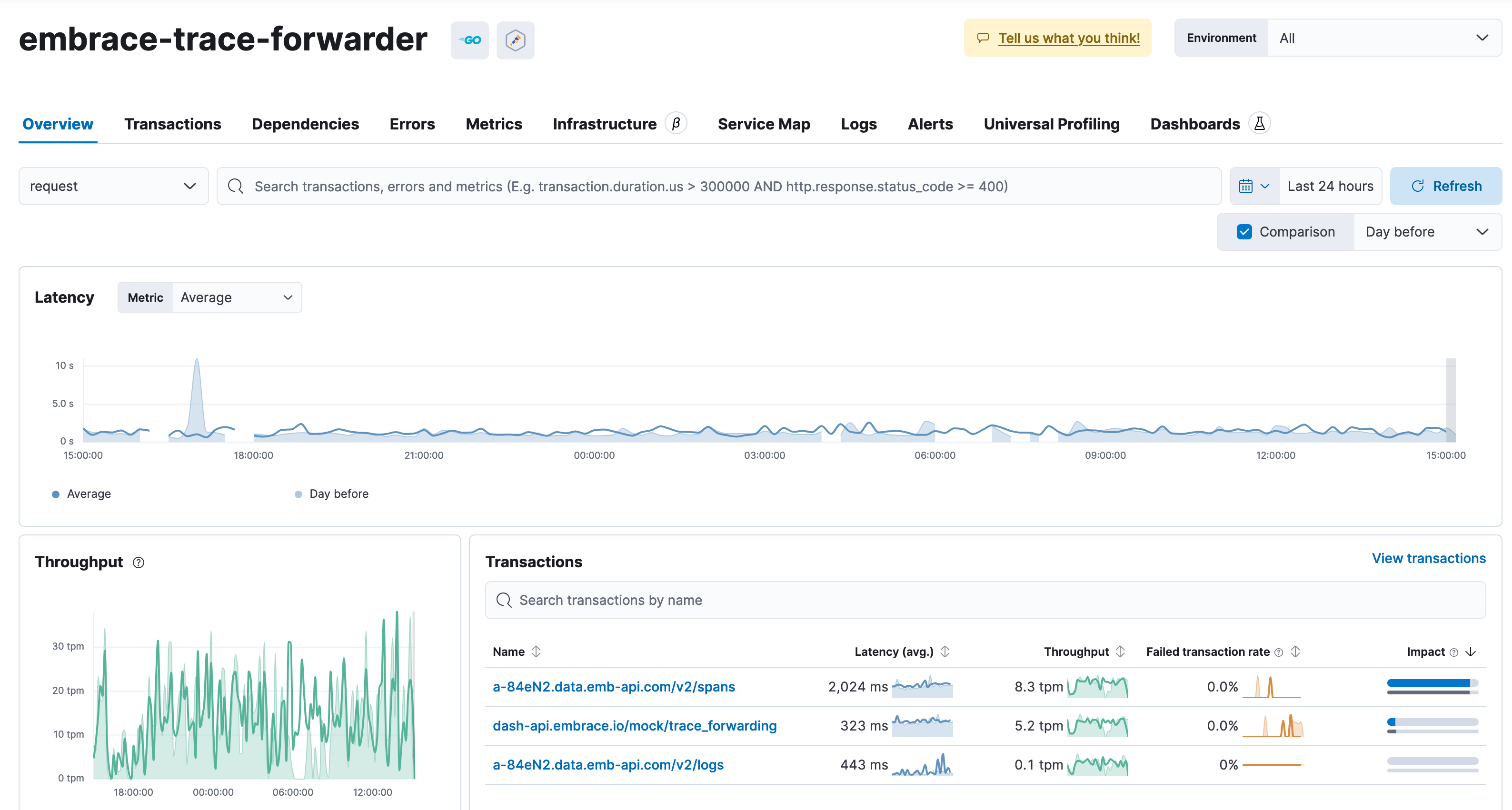
Network Spans
You can explore your forwarded spans under the "APM" page under the "Observability" section. You should see embrace-trace-forwarder
as the service.