Setup Guide
Add sites and URLs for testing
Sites
It's important to know that each site you test can have a different settings configuration. For example, you may wish to test your own site several times a day across a number of browsers and regions. You may wish to test a competitor's site only once a day across a smaller number of browsers and regions.
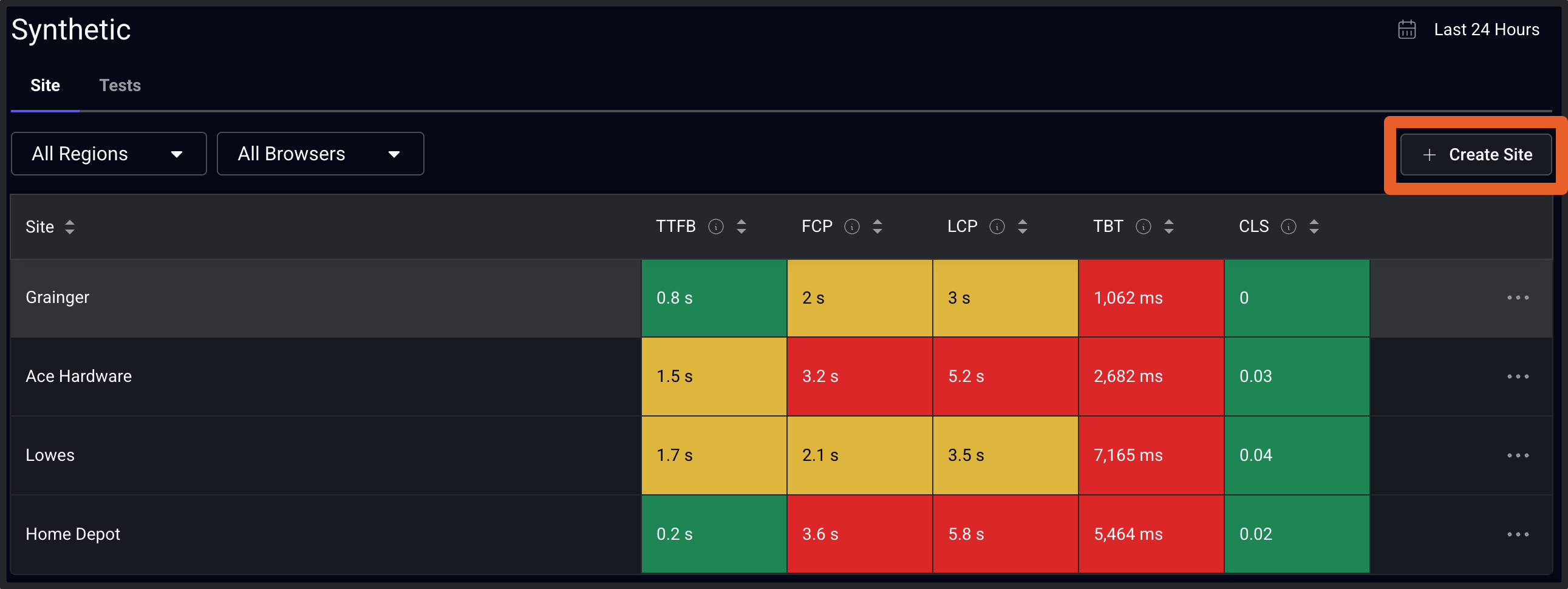
To set up a new site, from the synthetics overview page, click on Create Site. If you want to edit an existing site in the list, click on the Edit option in the associated row of the table.
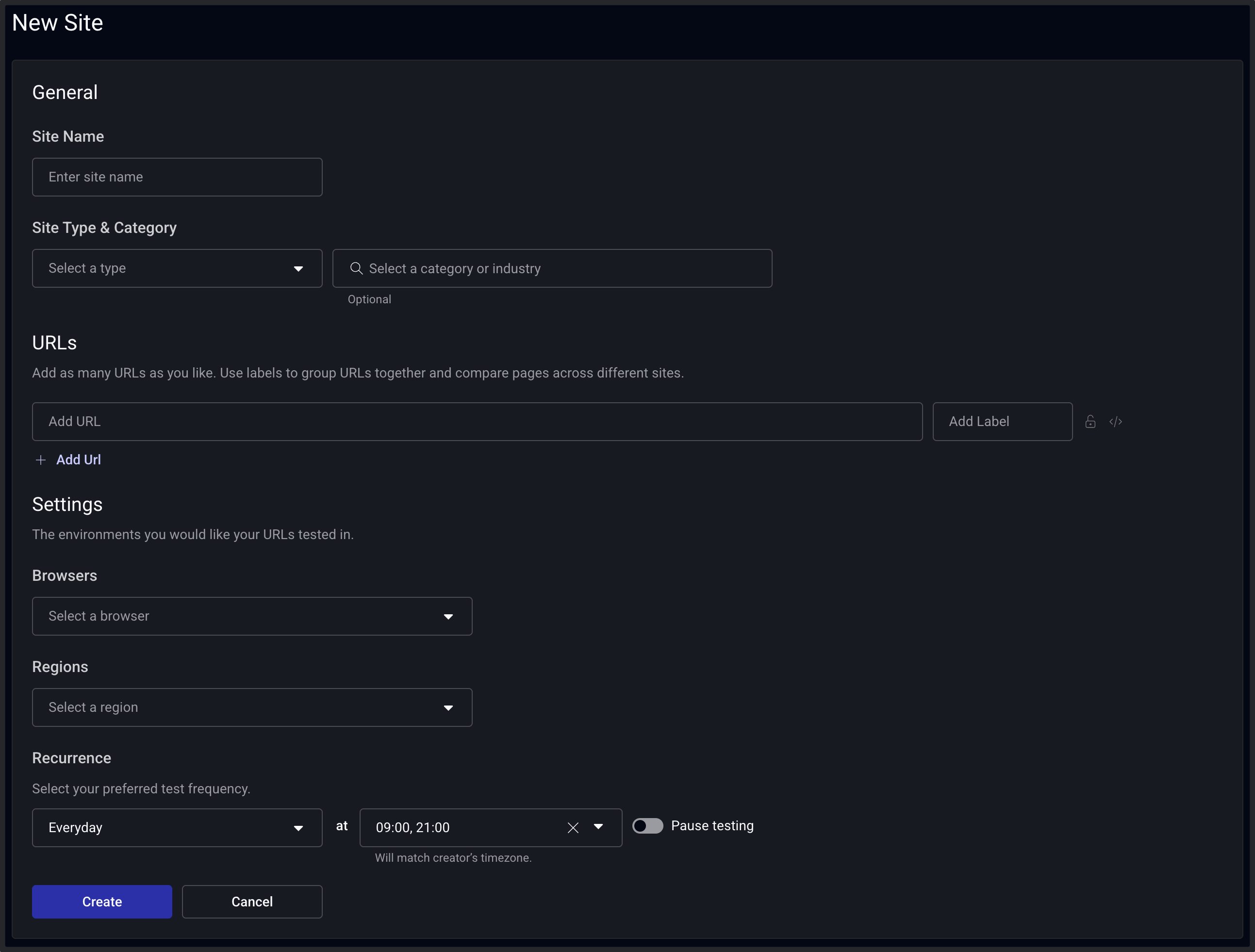
The site settings page is where you'll define the URLs you want to test for a given site, as well as other test settings including browsers, regions, and test recurrence. The configuration of a site is intended to be used to declare the unique web property you are testing. This includes environments you may be testing (i.e. production, staging) or other sites outside of your control, such as a competitor's site.
URLs
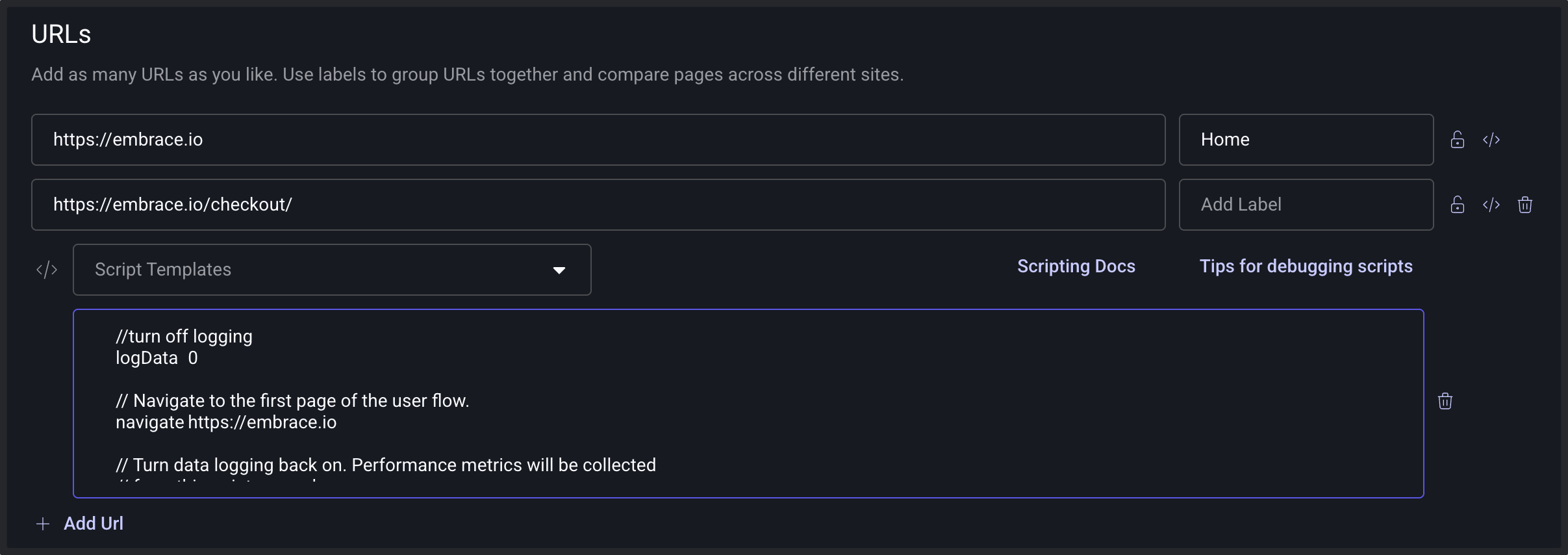
Within site settings, you will define which URLs you want to test for a site. This is accomplished by entering in a url or by creating a synthetic script (insert link to scripting guide). Beside each URL, you will also apply a page label name, which will help you to identify the URL in your dashboards and most importantly allow you to compare other urls in cases of competitive benchmarking and matching up with your RUM data.
Settings
Once you have added the url(s) you want to test, you'll proceed to configuring the test settings for the site. All urls for a site will use the same test settings.
Browsers
The list of browsers represent a set of evergreen profiles, all running on Chromium.
SpeedCurve provides the following browsers to test with:
| Browser | Network | Viewport | Display Density | CPU Slow Down Factor |
|---|---|---|---|---|
| Desktop Fast | Wifi Fast | 1366 x 768 | 1X | 0 |
| Desktop Slow | Wifi Slow | 1366 x 768 | 1X | 0 |
| Mobile Fast | Mobile 4G Fast | 390 x 663 | 2X | 0 |
| Mobile Medium | Mobile 4G Fast | 390 x 663 | 2X | 2 |
| Mobile Slow | Mobile 4G Slow | 390 x 663 | 2X | 3 |
These profiles don't reference specific emulated hardware, e.g. "iPhone 15" or a particular browser like "Chrome" or "Firefox". They are designed to be a great place to start your web performance testing and provide long-lived browser profiles with names that don't age. We will periodically update these profiles as web performance trends change.
Regions
Regions identify where the test will be run from.
We run all our synthetic test agents on Amazon AWS EC2 so that you get a consistent test environment across all regions.
| Region | Location | Region ID |
|---|---|---|
| Australia | Sydney | ap-southeast-2 |
| Bahrain | Manama | me-south-1 |
| Brazil | São Paulo | sa-east-1 |
| Canada | Central | ca-central-1 |
| England | London | eu-west-2 |
| France | Paris | eu-west-3 |
| Germany | Frankfurt | eu-central-1 |
| Hong Kong | ap-east-1 | |
| India | Mumbai | ap-south-1 |
| Indonesia | Jakarta | ap-southeast-3 |
| Ireland | Dublin | eu-west-1 |
| Italy | Milan | eu-south-1 |
| Japan | Tokyo | ap-northeast-1 |
| Korea | Seoul | ap-northeast-2 |
| Singapore | ap-southeast-1 | |
| South Africa | Cape Town | af-south-1 |
| Sweden | Stockholm | eu-north-1 |
| US East Coast | Northern Virginia | us-east-1 |
| US West Coast | Northern California | us-west-1 |
AWS EC2 Instance
| Property | Value |
|---|---|
| Instance Type | c5.large |
| Processor | 2nd generation Intel Xeon Scalable (Cascade Lake) |
| vCPU | 2 |
| Memory | 4 GiB |
| Storage | SSD |
Recurrence
Frequency of testing will depend on your use case. You have a number of options for testing from a daily test to 15 minute recurrence.

Once you've configured your site, click Save and your tests will be immediately scheduled.