WEBINAR Dec 16 | An OTel Carol: Past, Present, and Future of OpenTelemetry. Panelists discuss what OTel delivered in 2025, what improved, and what’s coming next.

Sign-up

Introducing the next evolution of User Journeys in Embrace

Deeper insights, richer metrics, and real-time visibility into the flows that matter most.

When we launched User Journeys earlier this year, our goal was simple: give engineering and product teams a clear, unsampled, view of how real users navigate key flows across their apps. Teams finally had a way to visualize friction points, understand drop-off patterns, and see precisely how users experience mission-critical workflows, all powered by real user data.

Now, we’re excited to share a major expansion of these capabilities.

User Flows are now fully integrated into Custom Metrics, Widgets, and Alerts.  Plus, engineers can now select from many more telemetry types to start and end user flows.

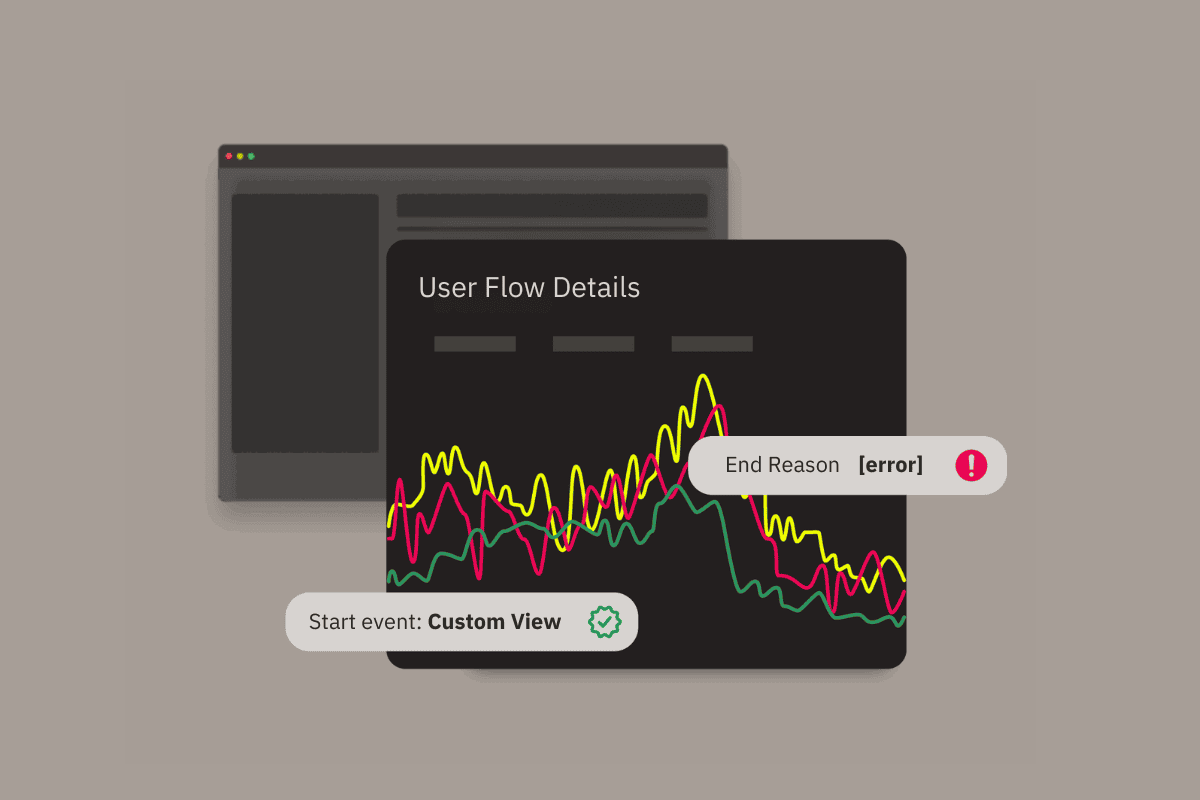
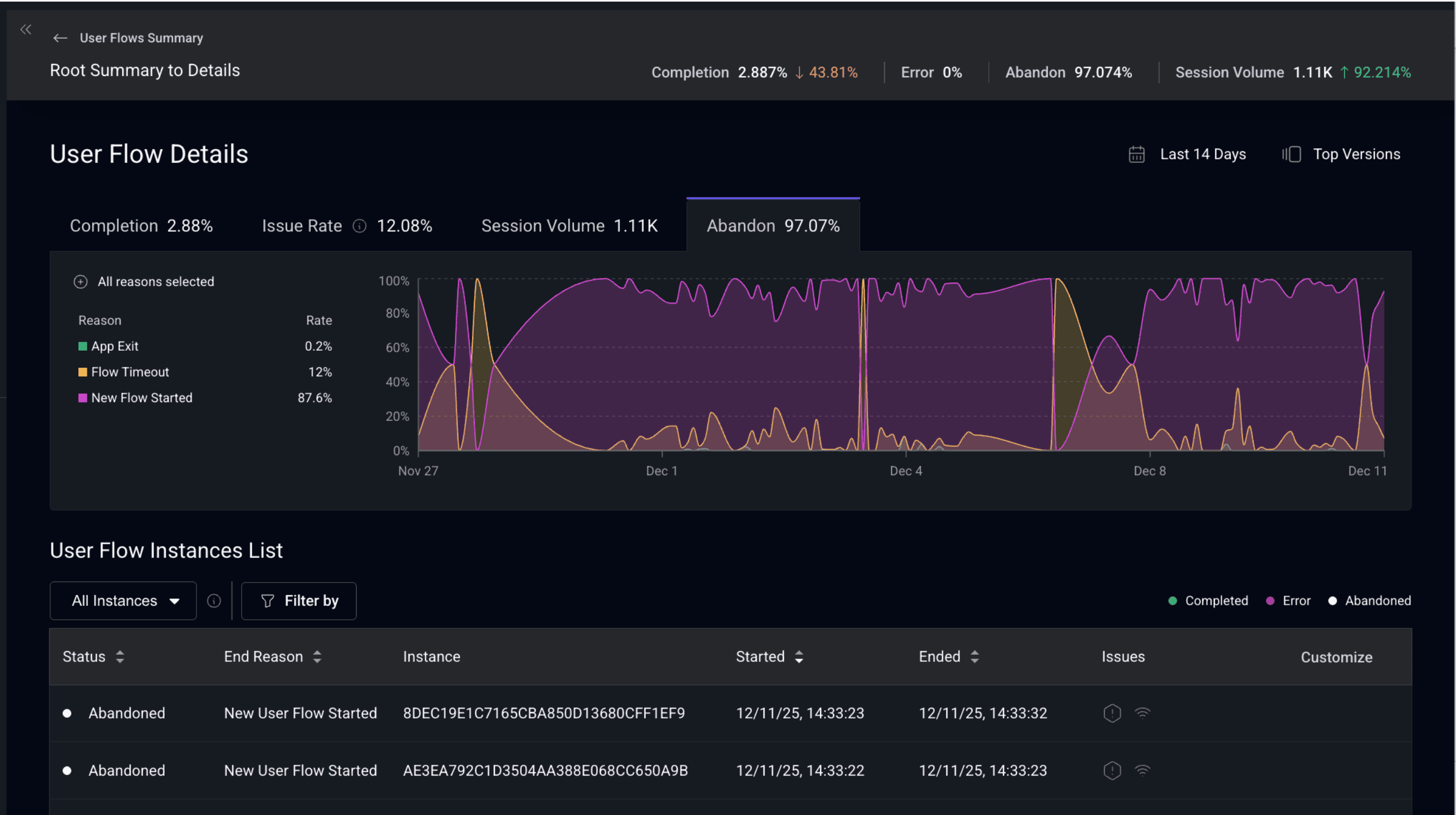
Additionally, we’re introducing a new enhancement that surfaces why a User Flow ended. This includes identifying when a flow ended with a crash, an app exit, a timeout, or due to overlapping flows. 

Together, these upgrades transform User Journeys into a fully instrumented, flow-level observability signal you can operationalize across your entire team.

Why this matters

High-stakes user flows, such as checkout, signup, or making deposits, are too important to monitor with disparate, siloed datasets that don’t cohesively capture the user experience. You need them tracked continuously, enriched with context, and tied into the dashboards, alerts, and KPIs your team uses every day.

With these enhancements, User Journeys become a true, first-class data foundation inside Embrace. 

You can now:

  • Track flow trends and volume
  • Monitor abandonment and completion rates
  • Understand exactly why a flow ended
  • Detect when error rates or abandonment patterns shift
  • Build dashboards that match the real user experience
  • Trigger alerts before user-impacting issues escalate

This turns User Journeys into a proactive, real-time system for detecting and understanding the performance of your most critical workflows.

What’s new

1. Custom Metrics for User Flows

User Flow data can now fuel Custom Metrics, allowing teams to track KPIs, segment user behavior, and visualize trends over time.

This makes it easy to answer questions like: 

  • “How many users successfully complete checkout each day?”
  •  “What’s the trend in signup completions across our customer geographies?”
  •  “Which flows are most impacted by the latest app release?”

2. New widgets for real-time flow monitoring

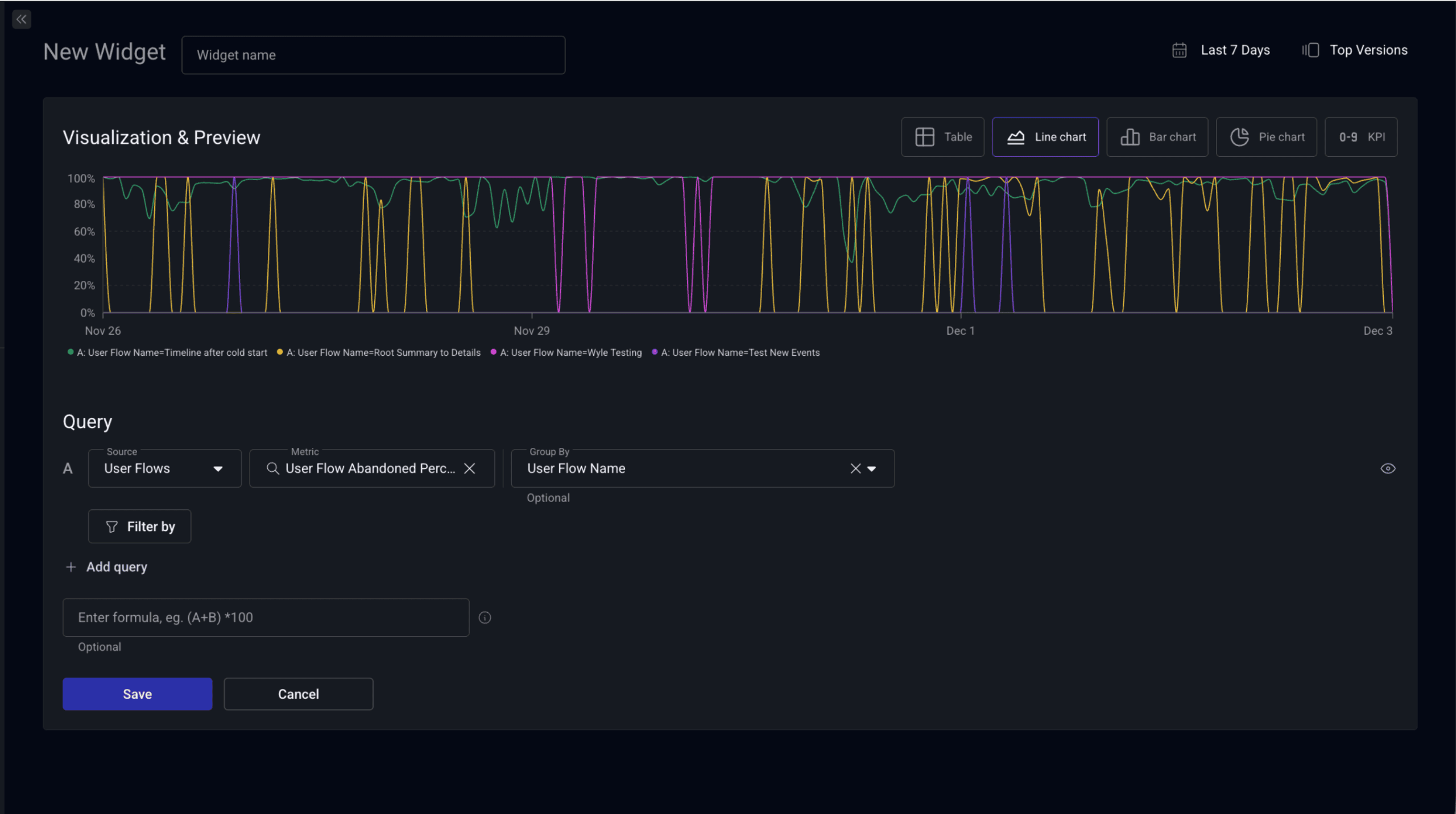
User Flow insights are now available directly within Embrace Widgets for real-time dashboards.

You can build widgets for:

  • User Flow Count
  • User Flow Abandoned Percentage
  • User Flow Completed Percentage
  • User Flow Error Percentage

All of these work with support for filters, group-bys, and flexible chart options. This brings flow-level health directly into your Overview Page, Release Health dashboards, and team-specific monitoring boards.

3. More telemetry options to start and end User Flows 

Since it was first introduced, the User Flows feature was all about providing teams with the full flexibility to define and track any type of interval of activity that mattered to their app and their end users.

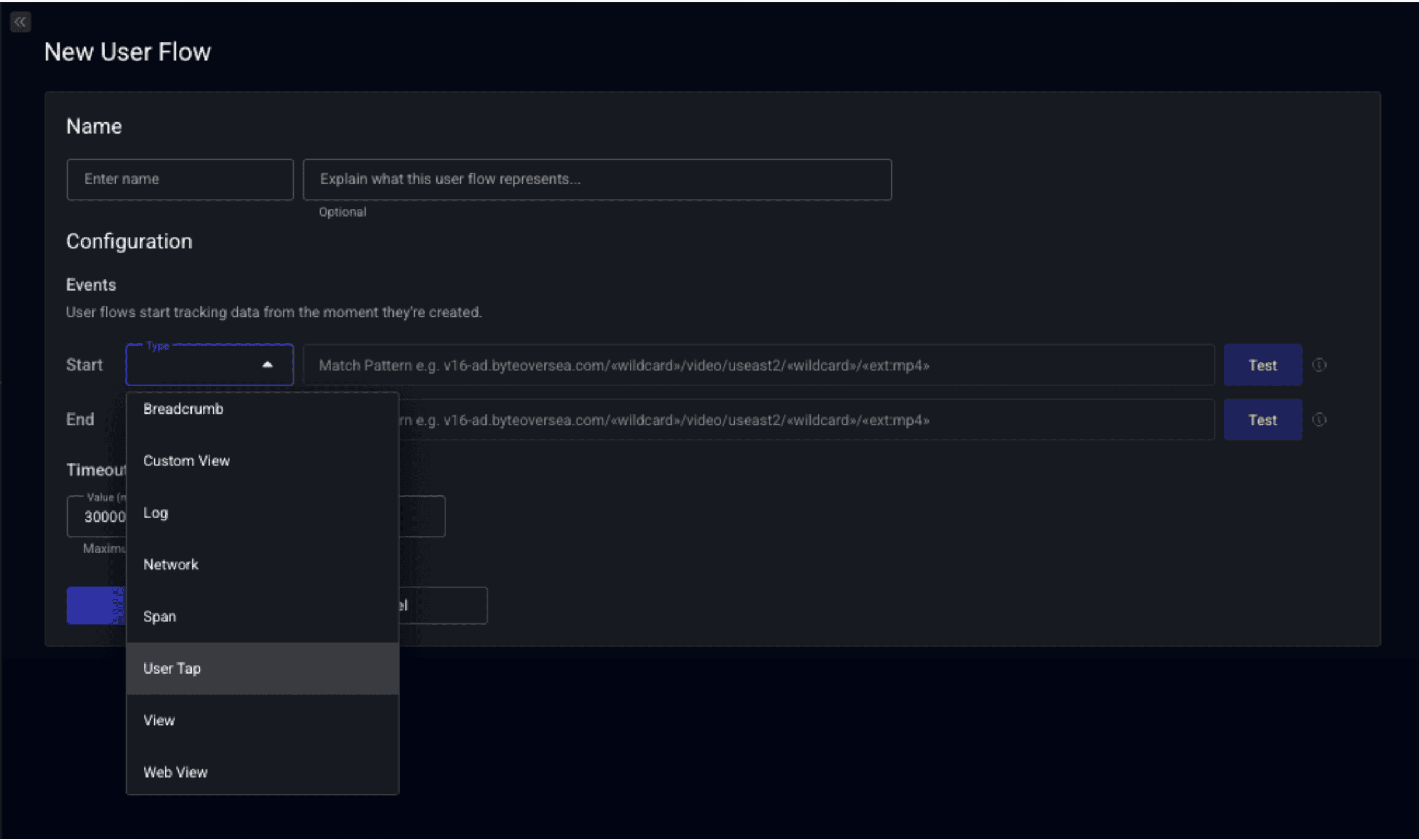
We’ve made some improvements here by expanding how many data types can be used as markers to define the beginning and end points of a flow.

Supported telemetry to start/stop a flow now include:

  • Breadcrumbs
  • Custom Views (new)
  • Logs
  • Network events
  • Spans (new)
  • User Taps (new)
  • Views (new)
  • Web Views (new)

This gives teams total flexibility, control, and customization potential to build User Flows that reflect, with high precision, the activities that truly matter within their app.

4. Alerts for flow-level performance changes

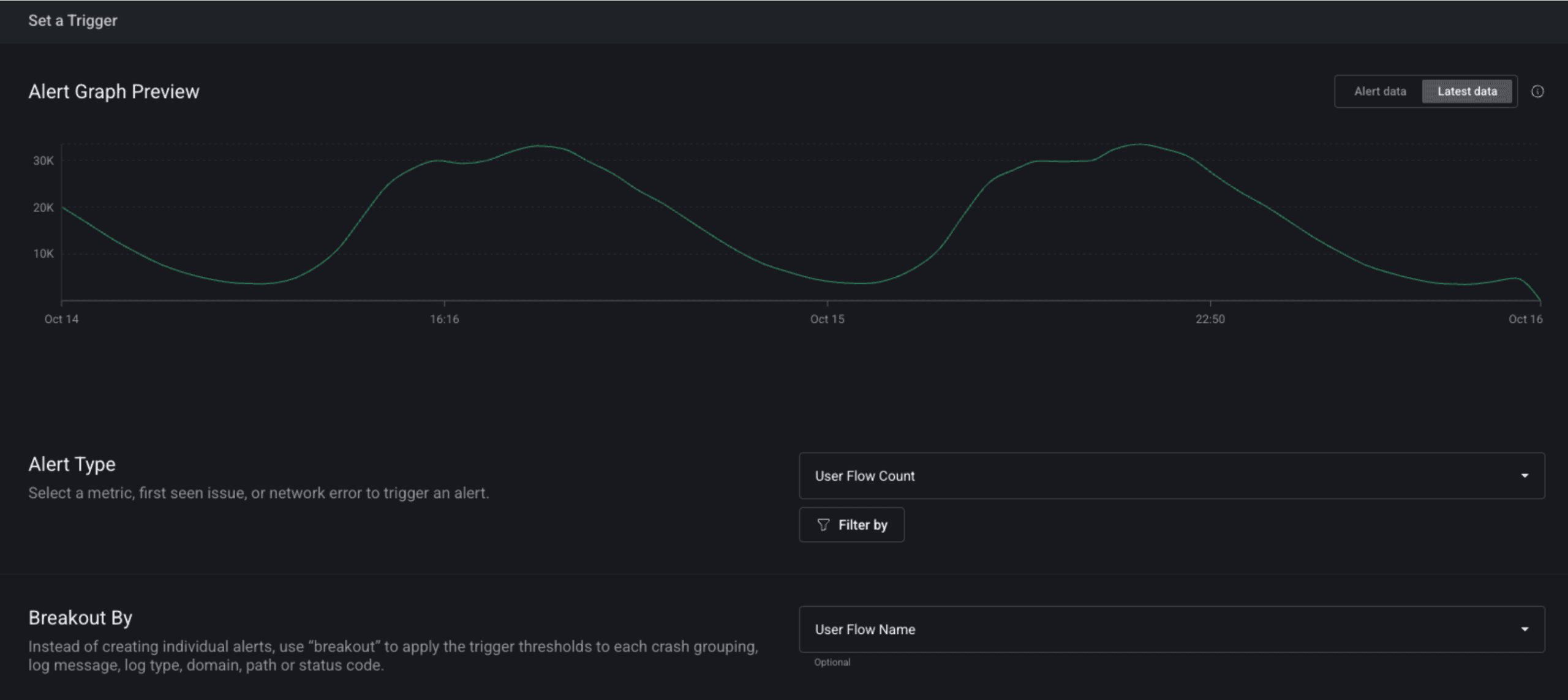
Your most valuable flows should never break silently. With expanded support for alerting on User Flows, there is no risk of that happening anymore in Embrace. 

You can now create alerts for:

  • Drops or spikes in flow starts
  • Rising abandonment rates
    Shifts in completion percentage
  • Flow-level errors

Alerts can be targeted to specific versions, platforms, user segments, or flow names, making them ideal for release monitoring, regression detection, and customer-impact triage.

5. Coming soon: abandon & error reason tracking

Not all abandonments or errors are equal. A user closing the app is very different from a timeout, a navigation conflict, or (at worst) a crash. The underlying cause for a flow ending matters for debugging, triage, prioritization, and business impact.

Our upcoming release introduces full visibility into why a User Flow ends, including both reasons for abandonment reasons and detail into errors that force a flow termination. 

Abandon reason tracking

You’ll be able to understand the exact reason a flow ended without completion based on the following criteria:

  • Application exit: the user closed or backgrounded the app
  • Flow timeout: a flow lingered beyond the defined threshold
  • Overlapping flow start: a new flow began while another was in progress

Error reason tracking

You’ll be able to see when a flow ended due to:

  • Crashes
  • Unhandled exceptions
  • Other flow-terminating events

This will give teams immediate clarity into whether errors, UI issues, or user behavior caused a disruption to the user’s journey.

A more complete view of user experience

With Custom Metrics, Widgets, Alerts, and (coming soon) End Reason Tracking, User Journeys is evolving into a full lifecycle observability system for your most important user flows.

Instead of just visualizing how users move through your app, you can now measure those journeys, monitor them in real time, understand why they break, and proactively detect issues before they impact conversions or revenue.

This is the most comprehensive expansion of User Journeys we’ve ever shipped, and we’re just getting started.

Check out our docs for more information on User Journeys. If you’d like help onboarding any of these new capabilities, we’d love to walk you through them. 

New to Embrace? You can get started for free here.

Embrace Deliver incredible mobile experiences with Embrace.

Get started today with 1 million free user sessions.

Get started free
Related Content