

NEW REPORT: The AI and observability gap for frontend teams

Read report

Introducing Embrace Synthetic Monitoring: Catch regressions before they reach users

Synthetic monitoring concept image

Embrace Synthetic Monitoring is here. It gives web performance teams controlled, repeatable tests for catching regressions, validating optimizations, and benchmarking against the sites they're competing with, all alongside the real user data already in Embrace.

Synthetic monitoring is not a new category. I’ve been working in this space, in some form or another, since 2008, when running synthetic against your own site felt experimental and running it against your competitors felt almost rebellious. The category has been around long enough that most observability platforms claim they have it. Most don’t, at least not at the depth a working performance engineer needs.

What we’ve built is the version of synthetic monitoring that practitioners have actually been asking for: deep diagnostics, treated as a first-class product, integrated into a platform built around real user data and OpenTelemetry.

If you want the longer arc of why this matters, Mark Zeman wrote about that at the start of Web Performance Week. This post is for the practitioners.

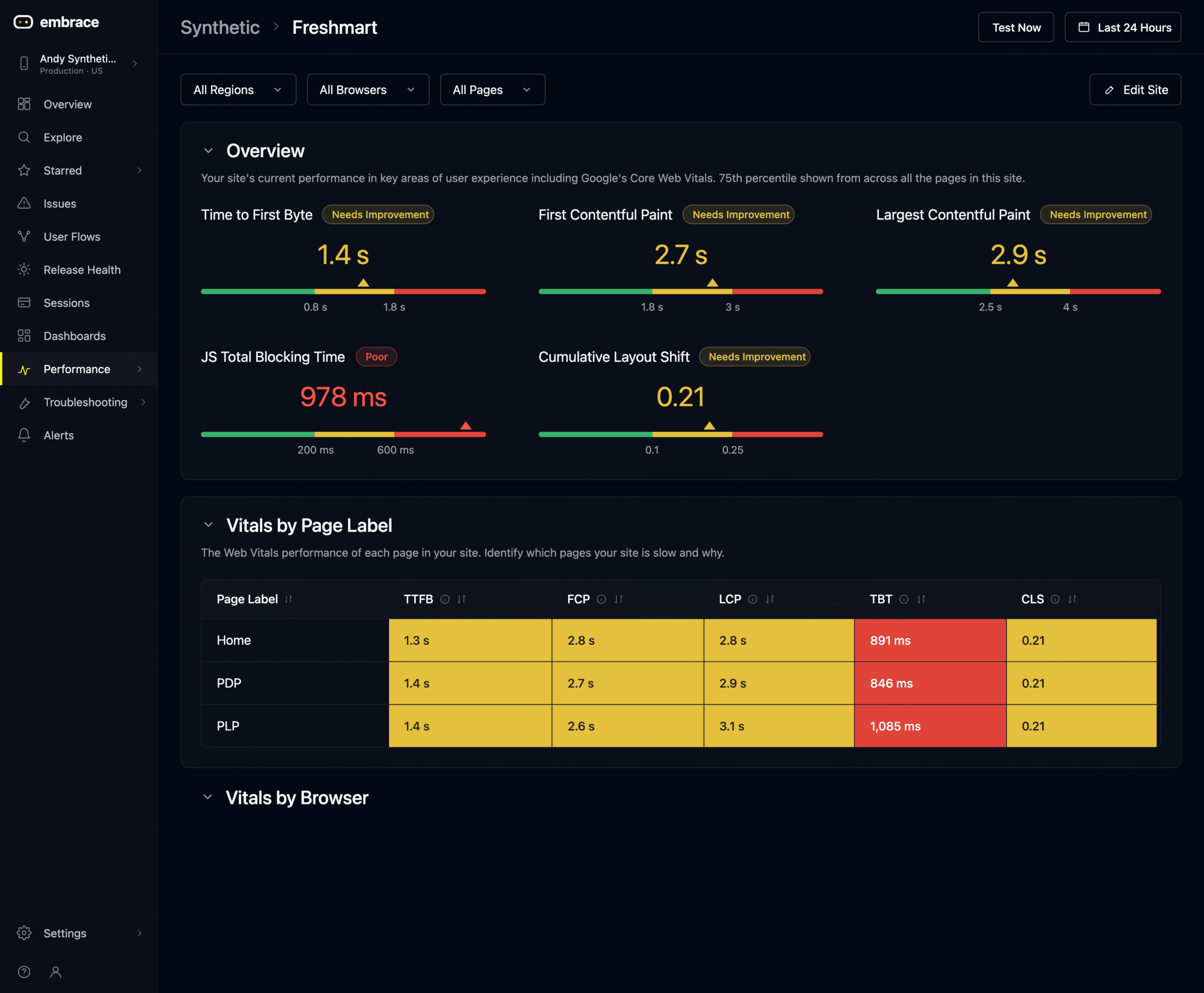
Synthetic monitoring dashboard overview.

Synthetic teaches you about your pages

My colleague Tammy Everts has a line we quote often: Synthetic teaches you about your pages, RUM teaches you about your users. It’s the cleanest way I’ve heard anyone describe why both belong in the same observability story.

Synthetic does three things very well. It establishes a baseline so you know how a page should behave under controlled conditions. It catches regressions before they reach production, by running the same tests on every deploy. And it gives you the kind of waterfall, filmstrip, and resource-level detail you need to actually fix what’s broken, not just notice that something is.

Embrace Synthetic Monitoring runs on demand or on a schedule, across the URLs, browsers, locations, and network conditions you choose. Every test produces a full waterfall, a visual render timeline, a Core Web Vitals scorecard, Lighthouse audits, resource breakdowns by type and size, and a clear view of which third-party scripts are eating your main thread.

That’s the foundation. Here’s what you can actually do with it.

Competitive benchmarking that gets your CEO's attention

This is the use case that converts skeptics fastest, and I’ve seen it work in the boardroom more times than I can count. You can’t run RUM against your competitors. You can run synthetic against anyone who lets you load their pages.

In Embrace, you set up a competitive set, run the same test profile against all of them, and get a leaderboard that shows you where you stand. If your homepage takes a touch longer than the three sites you’re trying to beat, the leaderboard says so. If a competitor’s product page renders its hero image a full second faster than yours, the side-by-side filmstrip makes that obvious.

I’ve worked with teams that spent a year trying to get internal investment in a frontend performance program. Charts of P75 LCP didn’t move the conversation. A leaderboard that put them in fifth place out of five did. Funding showed up the next quarter.

A few specifics worth knowing:

  • You can compare against any URL, not just your own pages.
  • Filmstrips and side-by-side rendering videos are first-class artifacts. They get pasted into Slack threads and quarterly reviews, and they tend to be the thing that finally lands the message with non-technical stakeholders.
  • We’re layering CrUX data and industry-template benchmarks on top of this in the coming months, so you can ground your synthetic comparisons in real Chrome user experience data without setting up the instrumentation yourself.

If you’ve never put your site next to a competitor’s in a render video, do that this week. It tends to change the conversation.

Core Web Vitals diagnostics, with attribution

A Core Web Vitals score by itself isn’t actionable. Most synthetic tools will give you the score and stop there. The work, the part that actually improves the metric, is figuring out which element on the page caused it.

This is the depth Embrace Synthetic Monitoring is built for.

For LCP, you can zoom into the subparts. Was the element discovered late, was it slow to download or did it just take a long time to be displayed? Which element on the page was actually measured for LCP? Without that, you spend hours guessing. With it, you go straight to the request that matters.

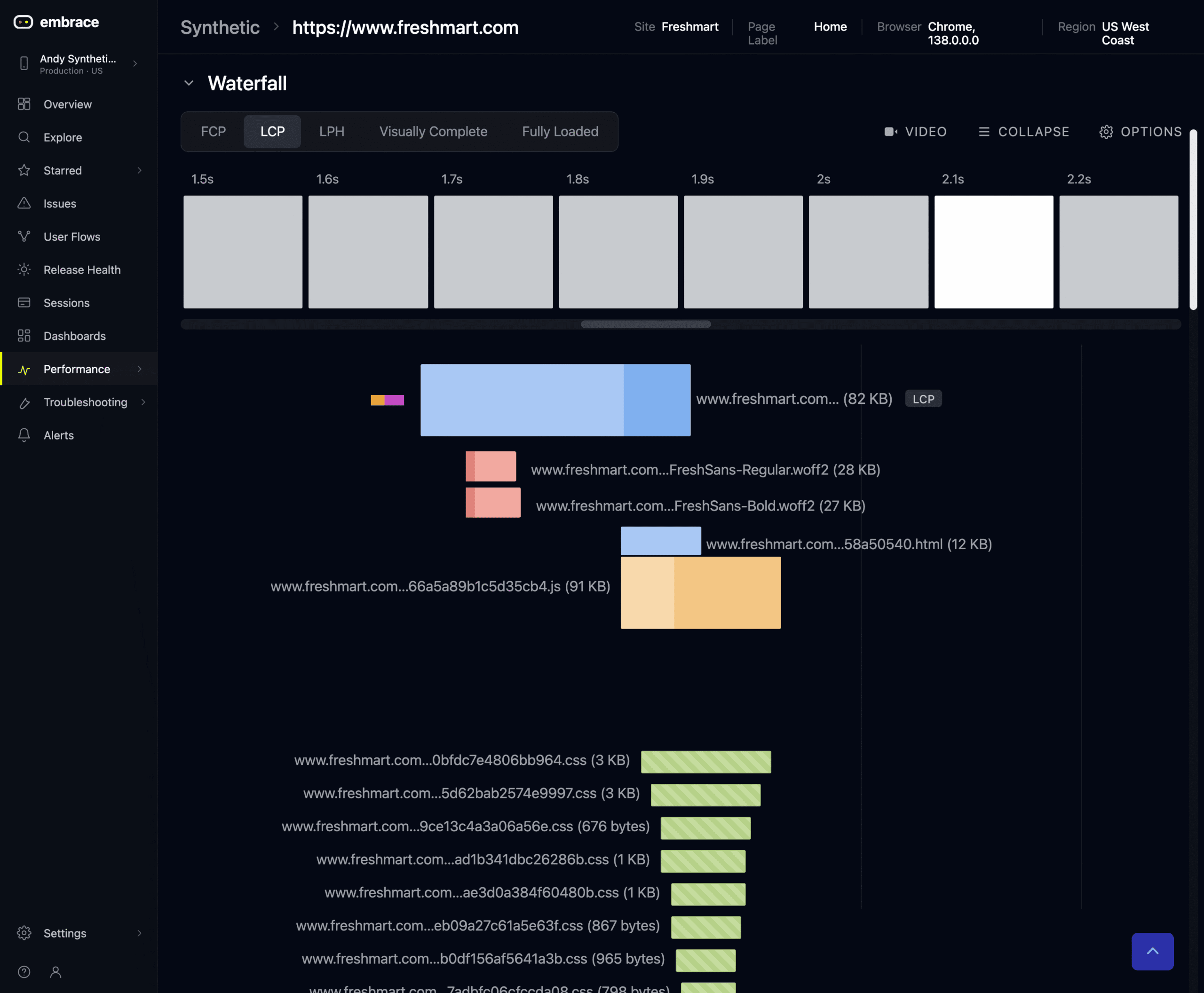
Here’s a real example from a recent test. A major retailer’s homepage was posting an LCP near six seconds on a slow mobile profile. The trimmed-to-LCP waterfall showed exactly why. The largest contentful element was the poster image for a video player. The video player’s JavaScript loaded synchronously, blocked the main thread, and the poster image wasn’t discoverable in the HTML, so the preload scanner couldn’t get to it. The fix was a preload tag and a pre-connect for the static asset domain. None of that is visible in a CWV score. All of it is visible in the waterfall.

Synthetic monitoring waterfall

For interactivity, Total Blocking Time (TBT) and Long Tasks highlight when the Main Thread is busy and interactions are likely to be unresponsive if the user clicks, taps or presses a key during. Long Task analysis shows how long each script that blocked the main thread: First-party or third-party, with the bundle name and execution times.

Total blocking time is the synthetic proxy for INP, since INP depends on real user interactions. TBT correlates well, and when paired with the LoAF view, it points at exactly the scripts you need to rework or to take to your third-party vendor.

For CLS, the page rendering visualization shows you the elements that shifted, in the order they shifted, with the size of each shift. Most CLS issues aren’t one-and-done. The visualization makes it possible to see the next shift after you’ve fixed the first.

Catch regressions in CI/CD

Synthetic monitoring earns most of its value in the deploy pipeline. The slowest, most painful regressions are the ones that ship to production and only show up later in your RUM data, because by then customers have already felt them.

Embrace Synthetic Monitoring integrates into the pipeline you already run. You can wire it into Jenkins, CircleCI, GitHub Actions, or anything that can hit our deploy API. You can also just run a manual test against your staging environment after a deploy, if you don’t want full CI integration on day one.

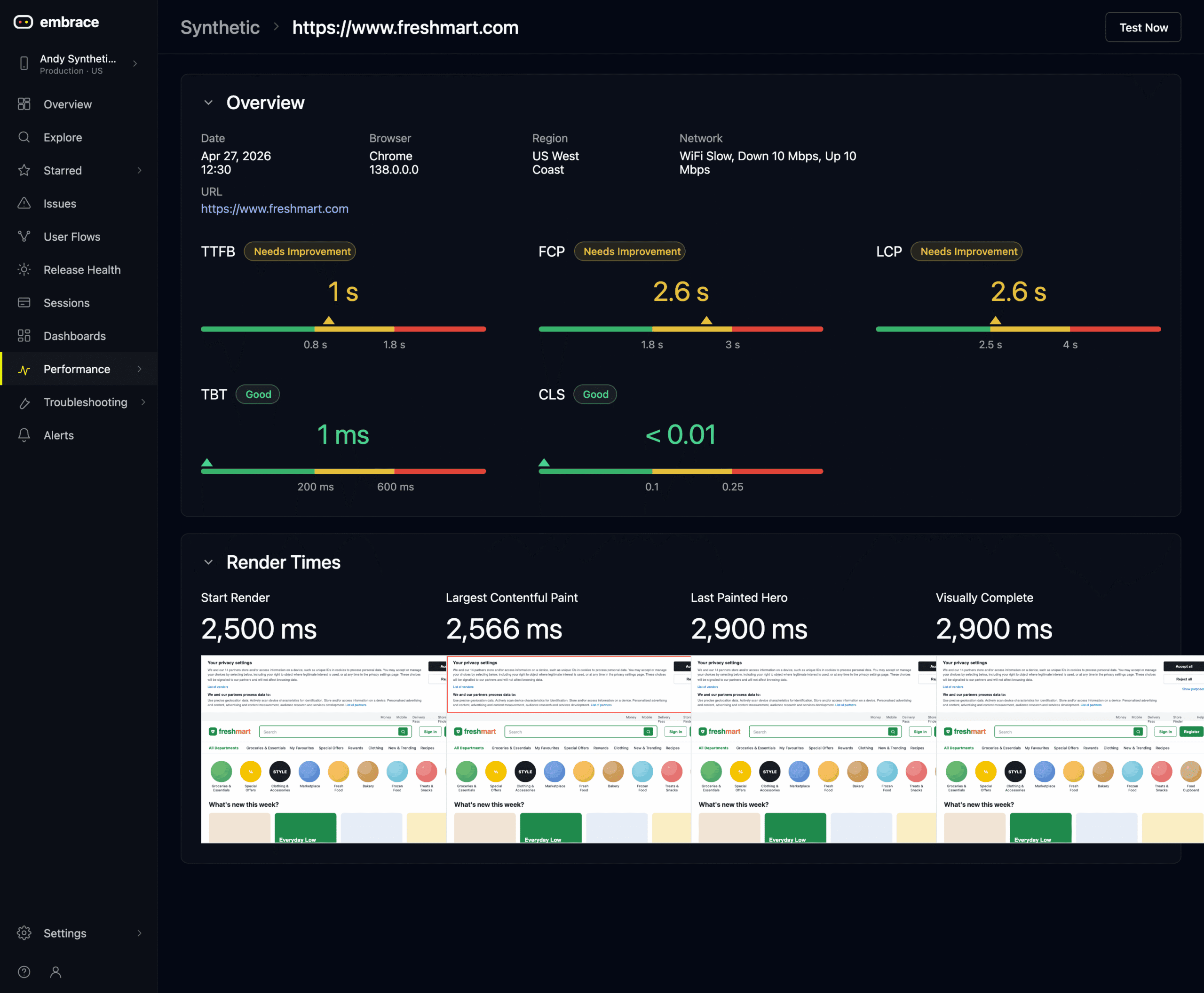
Synthetic monitoring vitals

The right cadence depends on your team. The pattern I see working most often:

  • A scheduled test every three to six hours on your top page templates, to establish baselines and catch drift.
  • Ad hoc tests against staging before any deploy a developer is uncertain about.
  • Competitive benchmarks running once a day in the background, so the leaderboard stays current.

Deployment annotations and deploy-aware dashboards are landing in Embrace soon, so you’ll be able to overlay deploys directly onto your synthetic trends. The CI integrations are working today, and customers are running them in production.

Synthetic and RUM, in the same platform

A short note on the bigger picture, since this is where Embrace is different from most synthetic tools.

Organizations with a mature culture of performance use RUM and synthetics together in a constant cycle of revealing, fixing, and validating. Your RUM data tells you what to test. It tells you which page templates matter, which geographies your traffic is actually coming from, which user flows are breaking down. You take that into synthetic and run focused tests under controlled conditions. You make a fix. You ship it. RUM tells you whether it actually worked for real users.

In Embrace, both data sets live in the same platform on the same data model. You stop chasing two sets of numbers that will never agree, you stop tool-switching mid-incident, and you stop having to explain to your SRE counterpart why the dashboards don’t line up.

That’s the part I’m most proud of, and the part that took the most engineering work behind the scenes.

Try it

Embrace Synthetic Monitoring is available now to all Embrace customers. If you’re not yet on Embrace, create a free account and run your first test today. Set up a competitive benchmark before you do anything else. It will tell you more in ten minutes than most performance reports tell you in a quarter.

If you want to go deeper, check out the best practices guide to synthetic monitoring by Tammy Everts. It’s a fantastic companion piece to what we’ve jus reviewed in this post.

Build the version of your site you’d want to use. We’ll help you measure it.

Embrace Deliver incredible mobile experiences with Embrace.

Get started today with 1 million free user sessions.

Get started free
Related Content