

synthetic monitoring



Get these fundamentals right and synthetic monitoring stops being a dashboard you check occasionally and becomes an early warning system that catches performance issues before they hit your users.
Synthetic monitoring works best when it’s structured, consistent, and aligned with how your site actually evolves. But over the years, I’ve seen a lot of teams either underuse it (testing one page, from one location, once a day) or set it up once and never revisit whether it’s giving them an accurate picture of reality.
This guide distills the best practices that the performance-forward teams I work with tend to agree on. We’ll cover:
Let’s go!
Before getting into the checklist, it’s worth clarifying what we mean by “synthetic testing,” because it’s not one thing. It’s really four complementary practices:
Scheduled tests are your foundation
They run on a regular cadence and give you the consistent baseline you need to detect performance changes over time and trigger alerts when something regresses.
Deployment tests are integrated into your CI/CD pipeline
The goal is to catch non-performant code before it reaches users — testing in staging before a deploy, and automatically after one.
Ad-hoc tests let you test on demand, without full CI/CD integration
Sometimes you just want to hit a button after a code change and see what happened.
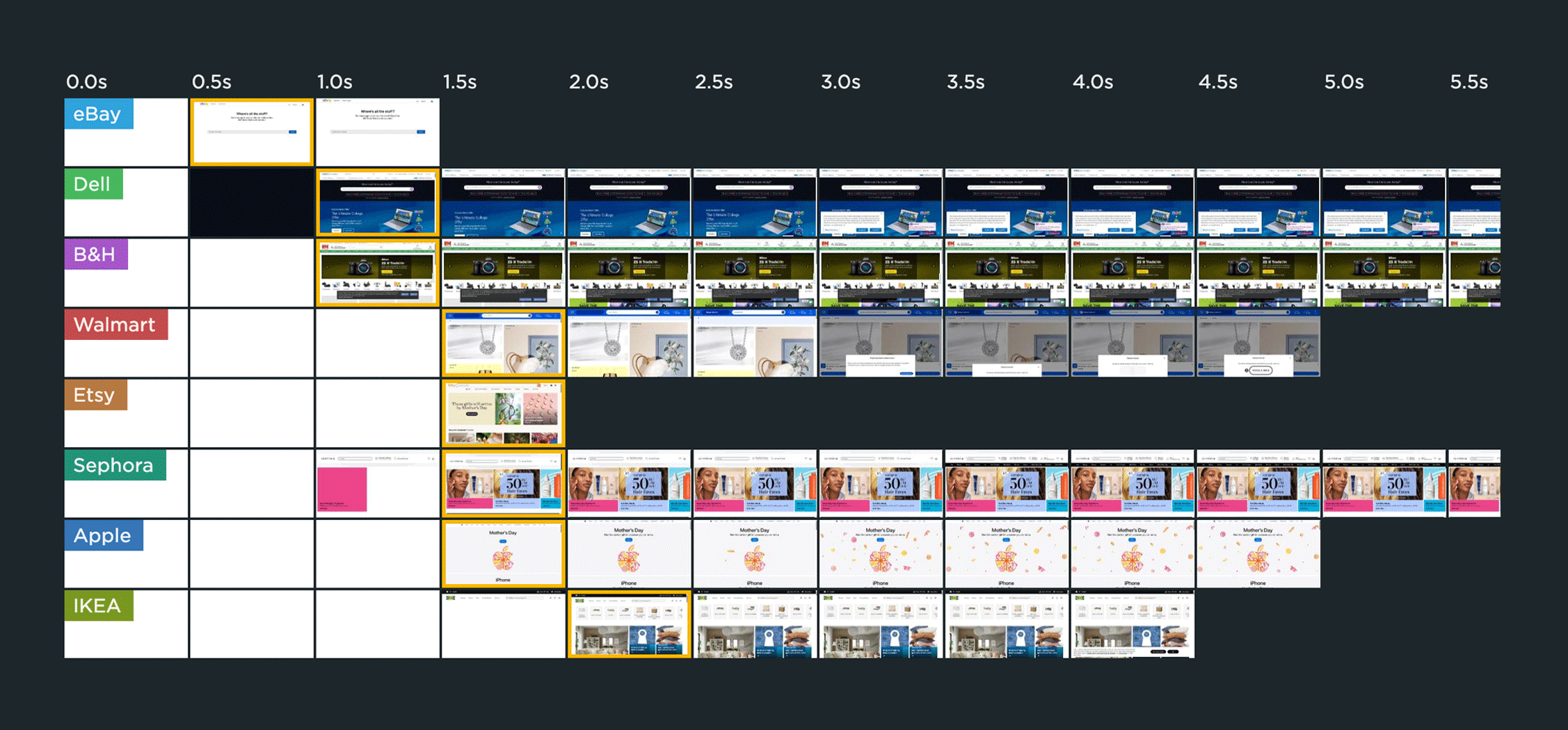
Competitive benchmarking is where synthetic really earns its keep
Synthetic monitoring is the only way to measure pages you don’t own. Most leading sites benchmark themselves against at least two direct competitors — though the scale of competitor testing is deliberately less comprehensive than how they test their own sites (more on this below).
If you’ve got synthetic monitoring running, you’re ahead of the curve. But there’s a good chance your configuration is leaving gaps you don’t know about yet.
Aim to use 80–90% of your purchased synthetic check volume
If you’re consistently below 80%, you’re underusing what you’re paying for and probably have coverage gaps. At 100%, you’re over-constrained, which means you’ll have no room to expand your testing or run ad-hoc tests when you need them.
Test key page types, not just your home page
This is one of the most common mistakes I see. Teams set up home page monitoring because it feels like the obvious thing to do, but when you look at the RUM data and how different page types correlate with conversion rate and bounce rate, the higher-value pages are usually product pages, category pages, and search pages for retailers — or section and article pages for news publishers. Your home page matters, but it’s almost more of a vanity metric than a business signal.
The aim is to ensure each distinct page type gets tested. For a retailer, that means product, category, search, checkout, and landing pages. For a publisher, it means section pages and multiple article page types.
Test from multiple relevant geographic regions
Align your test locations to where your actual visitors come from. Don’t just pick the default regions, and don’t pick just one location to save on check volume. You need to test where your users are. Your RUM data will give you all this intel, so you don’t need to guess.
Use a minimum of 3 runs per test, taking the median result
A single test run can be an outlier. Three runs lets you pluck the median and filter out noise without dramatically inflating your check usage. If your numbers are very spiky, 5 runs (still an odd number) gives you more stability.
Ideally, test at least every 6 hours
Once a day isn’t enough. Testing every 6 hours (4x/day) gives you a solid baseline. For high-revenue or critical pages, bump that to every 3 hours. And think carefully about when you test. Align your test schedule with when your visitors are most active, not just a random interval. Again, your RUM data takes the guesswork out of this.
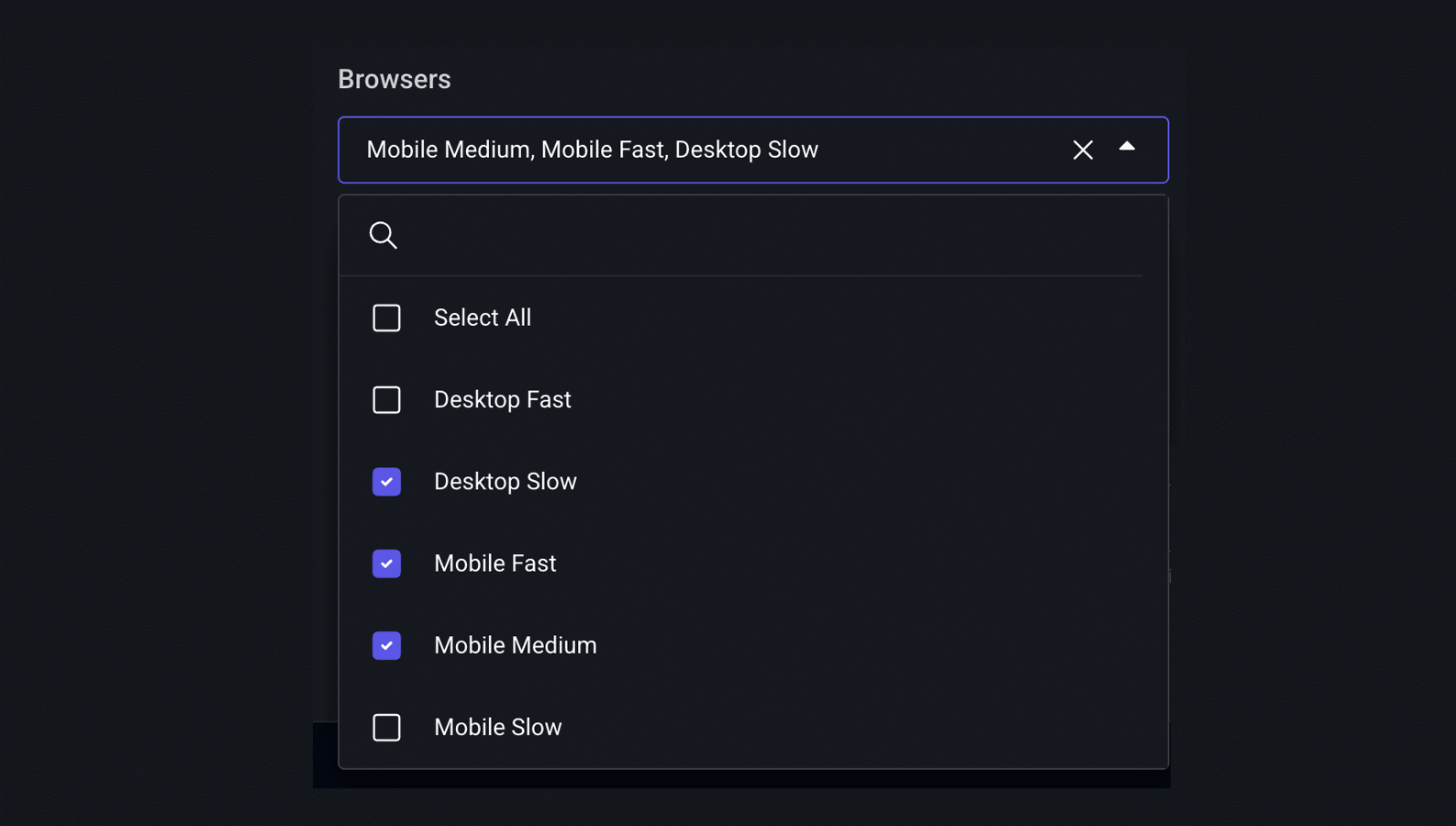
Cover the right browser profiles
At minimum, you want to test on Desktop Slow, Mobile Fast, and Mobile Medium. In an ideal world, you’d also test for Mobile Slow (think: low-end Android on a poor connection) and Desktop Fast, so you get a sense of the full range of experiences your users are having.
Setting up synthetic monitoring isn’t a one-time task. These steps are easy to skip but can quietly undermine everything else.
Verify the right URLs are being tested, and check for failed tests
Failed or broken tests waste check budget and leave blind spots in your monitoring. They can be easy to miss if you’re not actively looking for them.
Configure consent management to simulate accepted consent
If your tests are running without accepting cookie consent, third-party scripts may not load, which means you’re not getting an accurate picture of what real users experience. Simulate the accepted-consent state.
Run tests in pre-production
Catching regressions before they reach users is the whole point of integrating synthetic testing into your pipeline. Pre-prod environments tend to be more variable than production, so you may find that you need to use more runs per test here to account for that.
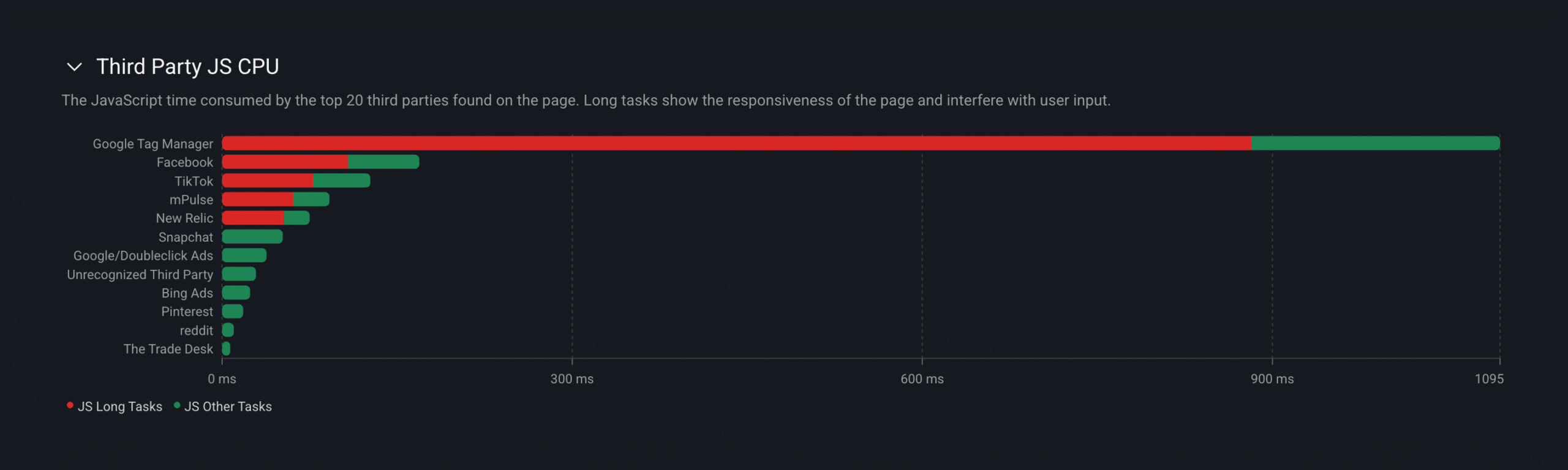
Track and monitor problem third parties
Identify scripts that are causing issues and set up targeted tracking for them. Third parties are responsible for a surprising amount of performance degradation, and it’s worth knowing exactly which ones are causing problems on which pages.
Most teams treat synthetic monitoring as a watchdog. Level up by making it part of how you ship.
Integrate testing into your CI/CD deployment pipeline
This is where synthetic monitoring shifts from reactive to proactive. (Every code change can trigger tests, so expect your check volume to increase — potentially by 50-100% — depending on how frequently you deploy.)
Keep baseline monitoring and CI/CD testing separate
These serve different purposes. Baseline monitoring is about consistency over time: are things trending better or worse? CI/CD testing is about detecting change from a specific deployment: did this code change break something? Mixing them together muddies both signals.
Speed is relative. What feels fast to you and your team might look slow to your users if your competitors are faster.
Set up competitive benchmarking against direct competitors
Test competitors at lower frequency (once a day is fine) and from fewer locations to keep your check usage efficient. Make sure you’re testing equivalent page types (home page vs. home page, product page vs. product page) and that your labels are consistent so results are actually comparable.
Set up aspirational benchmarking against sites you want to emulate
These may not be your direct competitors, but they represent the performance bar you’re aiming for. For a lot of teams, Amazon serves this role because it’s typically pretty fast. It can be a useful reference point even if Amazon isn’t a direct competitor.
One caveat…
Bot detection has gotten significantly more aggressive over the past few years, especially as agentic traffic has increased. You may find that some sites block your tests. Stay on top of your failed tests so you catch this early. If you’re getting blocked, swapping in a different competitor is often easier than trying to work around the detection.
The teams that get the most out of their synthetic monitoring are the ones who test the right pages (not just the home page) at the right times, use their RUM data to align their test parameters with real user data, and lean into the power of integrating testing into their CI/CD pipeline.
If you get those fundamentals right, synthetic monitoring stops being a dashboard you check occasionally and becomes an early warning system that catches performance issues before they hit your users.
To see Embrace Synthetic Monitoring in action, check out the on demand recording of the live session I hosted with our VP of Product, Cliff Crocker during our recent Web Performance Week. Current Embrace customers can get started today. Just reach out to your Customer Success Manager or support representative to enable synthetic monitoring in your account.
 Deliver incredible mobile experiences with Embrace.
Get started today with 1 million free user sessions.
Get started free