
Embrace has officially acquired SpeedCurve! Together, we’re redefining the future of user-focused observability.

Learn more

Introducing natural language filtering in Embrace

The Embrace dashboard now has natural language filtering, so you can easily get to the data you want without having to manually build filters.

We recently shared the launch of our Embrace MCP server, and now we’re bringing AI-powered features directly into Embrace. We’ve added natural language filtering, so you can easily get to the data you want without having to manually build filters. It’s a great opportunity to explore the data available in individual Embrace pages as well as quickly search for information without knowing the exact filter or attribute names you need.

Quick note: Natural language filtering can be used today to automatically build filters across many of our dashboard pages. We look forward to expanding this capability in our platform in the future.
How does natural language filtering work in Embrace?

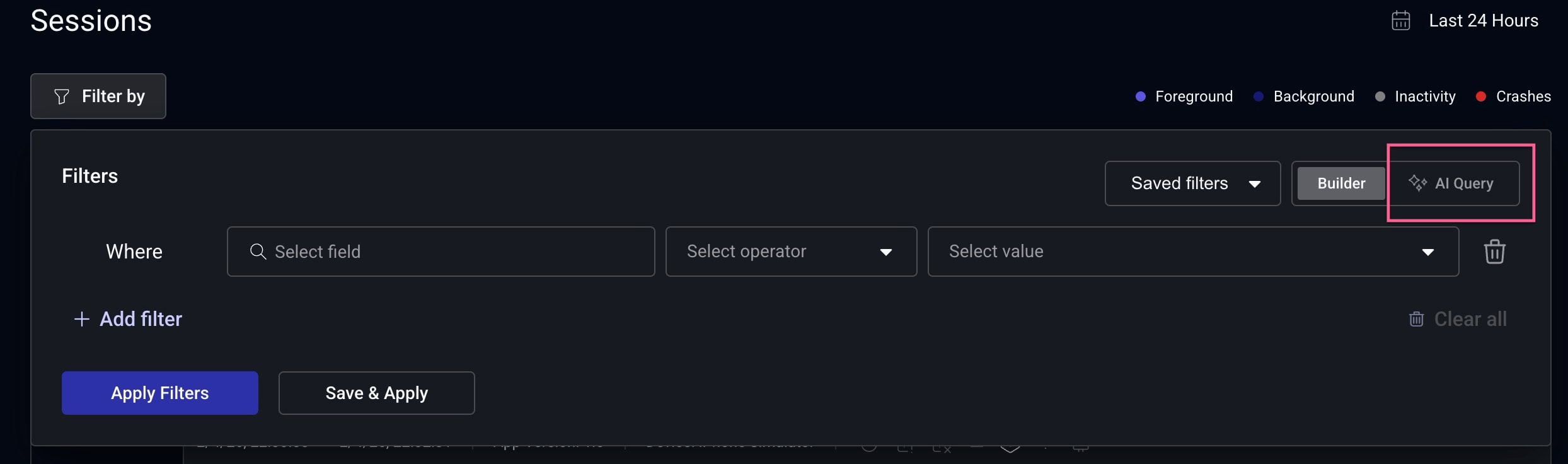
We’ve now added an option in our filter widget where you can toggle between manually building filters or using natural language. Click on the “Filter by” button to get started.

Filter widget in the Embrace dashboard showing the option for manual builder mode versus natural language filtering mode
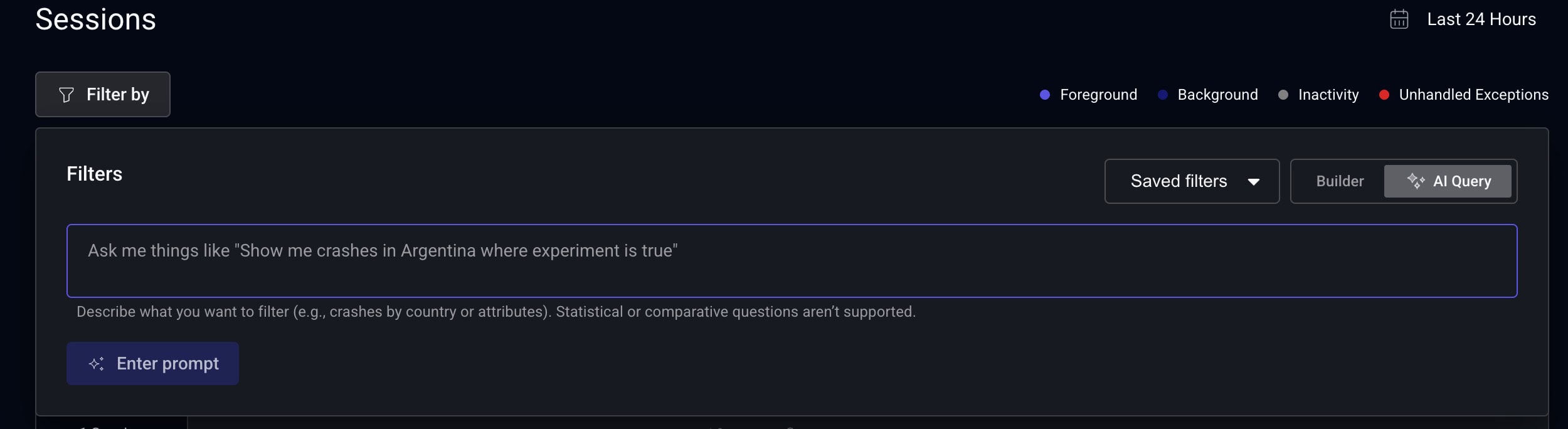
Select “AI Query” to switch to creating filters with natural language.
Filter widget settings in Embrace dashboard with natural language filtering turned on
Describe the information you want to find, and then Embrace will build the resulting query.

Describe the data you’re looking for, and Embrace will translate that input into a query from our available filters. You can then iterate on your filters by making additional changes in manual builder mode.

Natural language filtering is now available in filter widgets on the following dashboard pages:

  • Sessions
  • Crashes
  • Logs
  • Spans
  • Issues
  • Network
  • User Flows

We’re actively working to expand support for it across other pages in our dashboard so stay tuned for those updates!

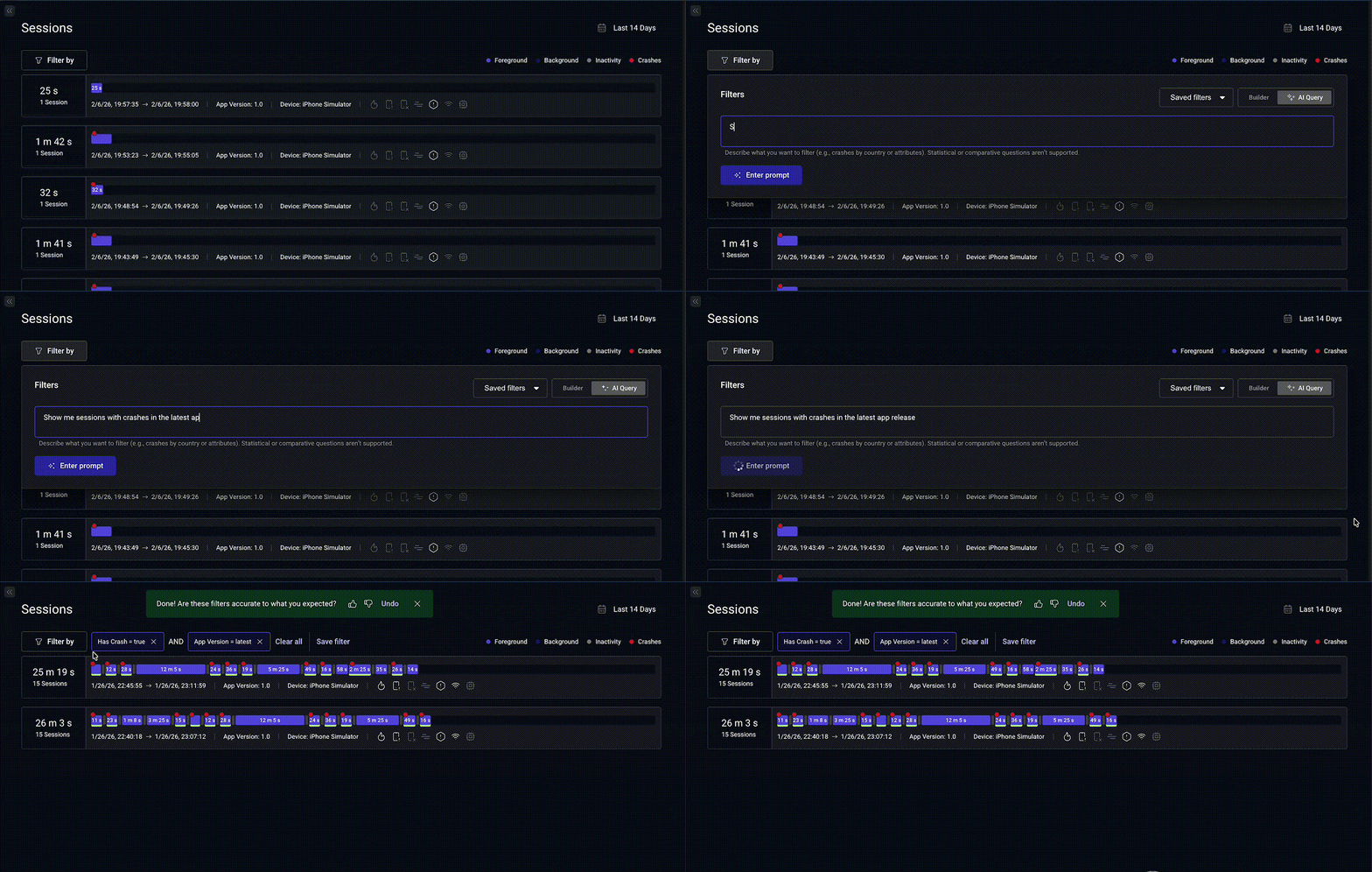
Here’s an example of it in action. We’re on the Sessions page, and we want to investigate sessions that experienced a crash in the latest app release.

Sessions page in Embrace dashboard showing how to create a crash filter using natural language
Using a natural language filter to search for crashes in the latest app version

After every query, we’ll present a pop-up to provide feedback on the query’s accuracy. Help us improve our model’s accuracy by letting us know when you’re not getting the data you’d expect. We’re continually reviewing feedback as we improve this feature.

What are some tips for using natural language filtering in Embrace?

Just start asking for the data you’re interested in! You can quickly explore data in Embrace, and we’ll let you know if what you’re searching for isn’t available in our existing filters. Here are a few ways to save time with natural language filtering:

  • Crashes page – Search for crashes without knowing the exact method names. “Show me crashes that contain a null pointer exception.”
  • Sessions page – Quickly build complex filters based on values you have handy. “Show me sessions just for these users {list of users} only if the session has an error log containing “failed to fetch resource {resource name}.”
  • Logs page – Search for errors that occur in key app functionality. “Show me all purchase errors.”
  • User Flows page – Search for user flows that are taking customers too long to complete. “Show me user flows that are timing out.”
  • Adjusting the time range – Specify a time range, and the dashboard will automatically update your top-level time settings. “Show me sessions with errors that happened yesterday on version 8.12.1.”

Try natural language filtering in Embrace today!

Our goal is to make it as easy as possible to find what you’re looking for in Embrace. Natural language filtering is available for free in all Embrace plans, and if you have any questions, please reach out to your customer success manager or share in our Slack community.

Embrace Deliver incredible mobile experiences with Embrace.

Get started today with 1 million free user sessions.

Get started free
Related Content